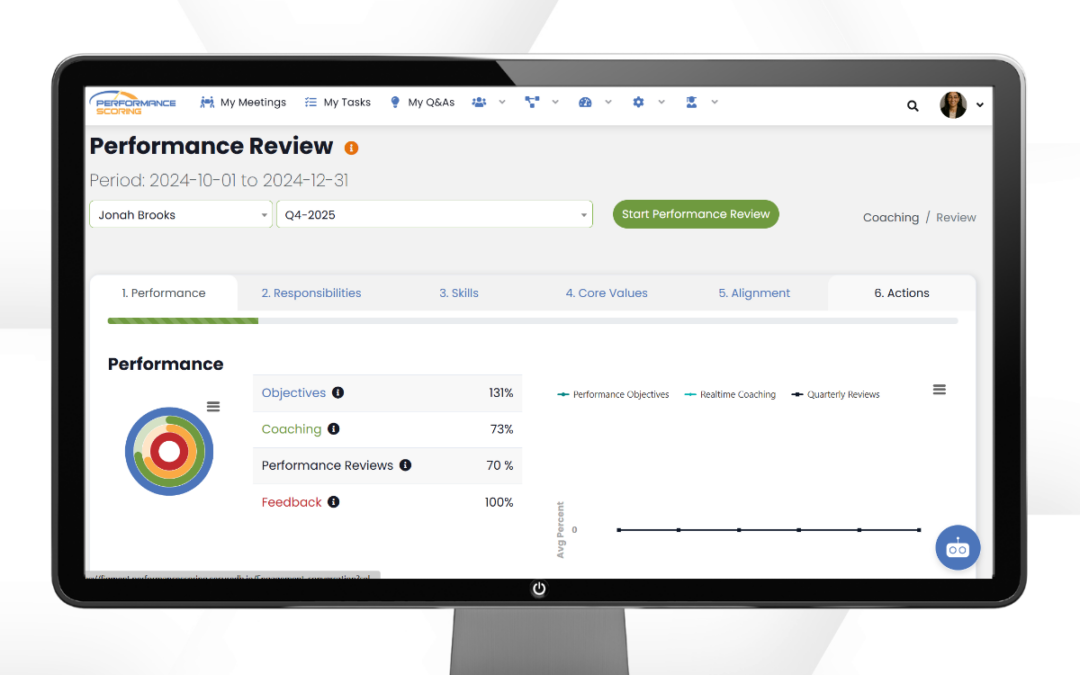
Performance reviews in Performance Scoring are designed to be clear, structured, and data-driven — not awkward or overwhelming. The platform brings together metrics, core values, feedback, and role expectations so conversations stay focused and productive.
This guide walks you through how to conduct a performance review step by step.
Note: Skills must be setup under each Role prior to conducting a performance reviews.
Prepare for the Review
Before meeting with the employee, take a few minutes to review their data inside the platform.
Review the Following:
- Performance Rings (Performance, Alignment, Engagement)
- Scorecard metrics
- Task completion history
- Core Values ratings
- Role & Skill ratings
- Any prior feedback or completed forms
Navigate to:
Dashboard > Individual Dashboard > Select User
This gives you a complete snapshot of how the employee is performing based on measurable data — not just memory or recent events.
Tip: Focus on patterns and trends, not isolated incidents.
Open and Complete the Review Form
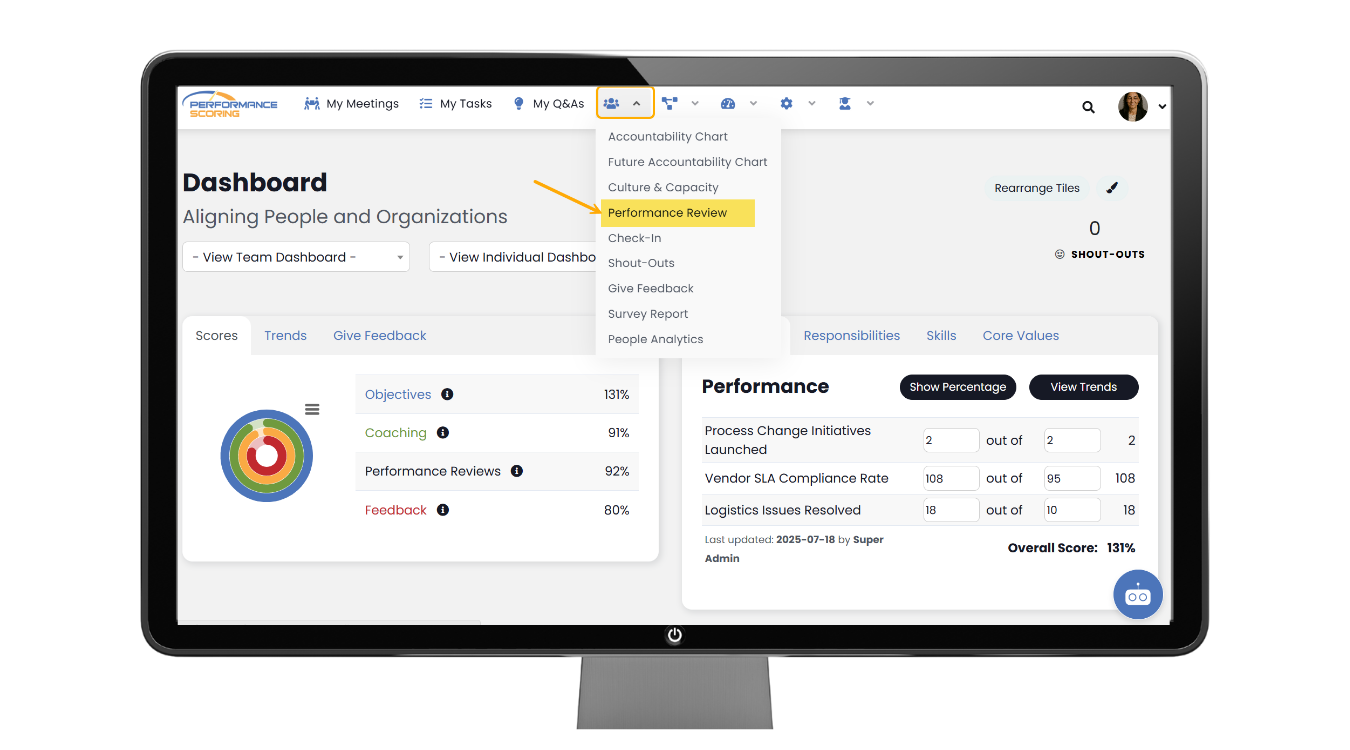
To conduct the formal review:
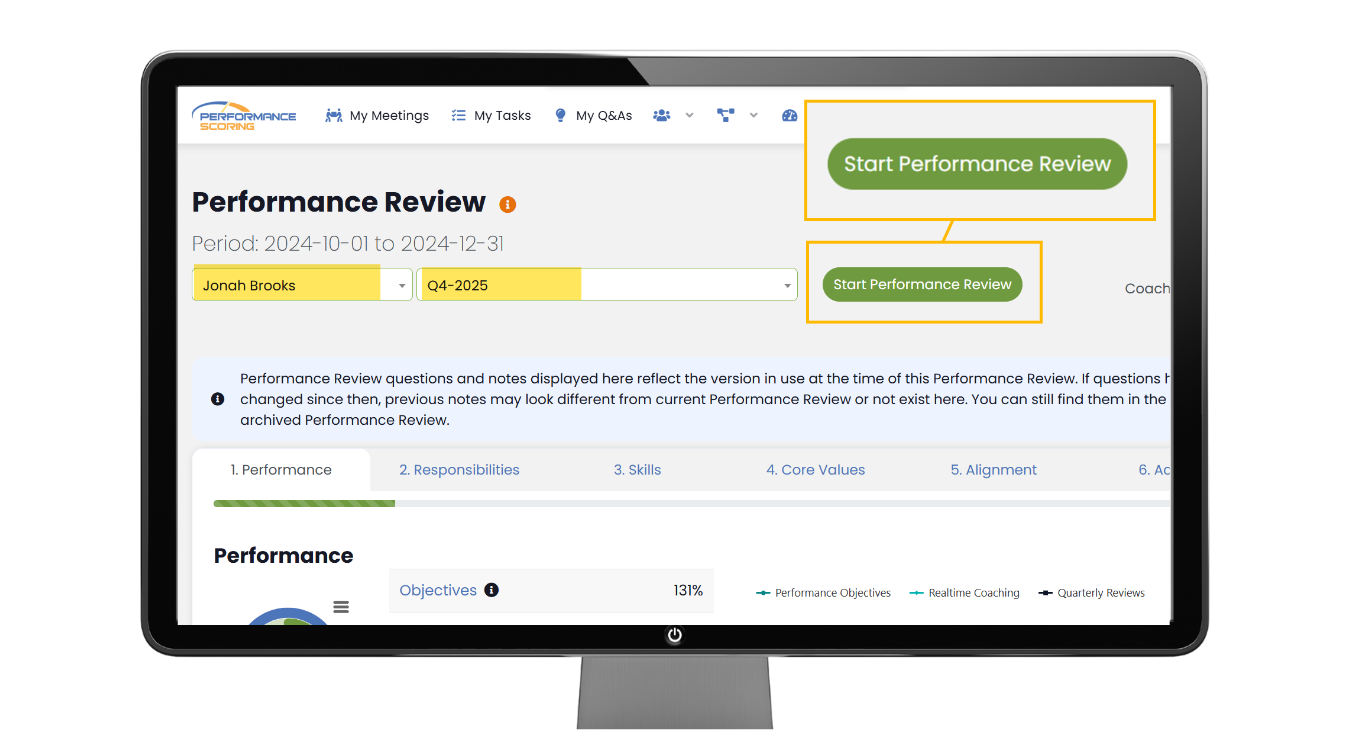
- Navigate to People > Performance Review
- Select User and Quarter
- Click Start Performance Review
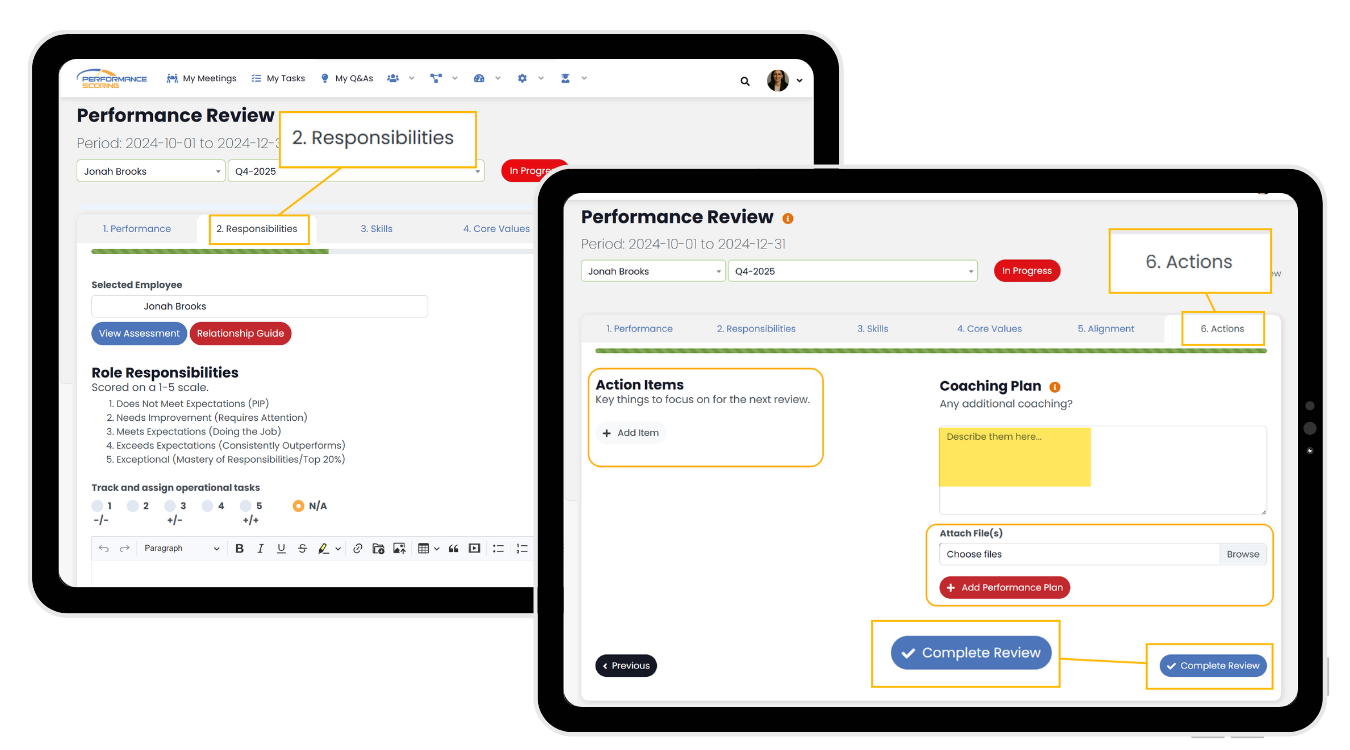
The review typically includes:
- Role & Skill ratings
- Core Values alignment
- Performance commentary
- Strengths
- Growth areas
- Overall summary
Fill in each section thoughtfully. Keep feedback clear, specific, and tied to data when possible.
Best Practice:
Use examples.
Instead of: “Needs improvement in communication.”
Say: “Several project updates were delayed, which impacted the team timeline.”
Specific feedback builds clarity and trust.
Conduct the Review Conversation
When meeting with the employee, keep the conversation structured and collaborative.
Start with strengths.
Review performance data together.
Discuss growth opportunities.
Align on expectations moving forward.
Set clear next steps.
Use the platform during the conversation so both of you are looking at the same information. This removes emotion and keeps the discussion grounded in facts.
Encourage the employee to:
- Share their perspective
- Ask questions
- Identify development goals
Performance Scoring is designed to make reviews collaborative — not one-sided.
Finalize and Follow Up
Once the review is complete:
- Save the review form
- Ensure ratings and comments are finalized
- Assign any follow-up tasks if needed
- Confirm expectations for the next review cycle
Performance reviews should lead to action. If development areas are identified, create tasks or goals inside the platform to track progress.
Tips for Effective Reviews
- Be honest but supportive
- Focus on behaviors, not personality
- Use measurable data whenever possible
- Avoid surprises — feedback should be ongoing
- Keep it consistent across team members
When done correctly, performance reviews become motivating and clarifying rather than stressful.
Performance Scoring provides the structure.
Your leadership provides the impact.
Further Reading on Modern Performance Reviews
1. Harvard Business Review — The Performance Management Revolution
Explores how companies are moving away from annual reviews toward continuous, feedback-driven performance management.
https://hbr.org/2016/10/the-performance-management-revolution
5. Gallup — The Future of Performance Management
Research on how ongoing coaching and measurable expectations improve engagement and productivity.
https://www.gallup.com/workplace/236441/future-performance-management.aspx
Harvard Business Review — How to Conduct a Great Performance Review
https://hbr.org/2022/07/how-to-conduct-a-great-performance-review
Harvard Business Review — The Feedback Fallacy
https://hbr.org/2019/03/the-feedback-fallacy
U.S. Office of Personnel Management — Performance Management Toolkit
https://www.opm.gov/policy-data-oversight/performance-management/performance-management-toolkit/