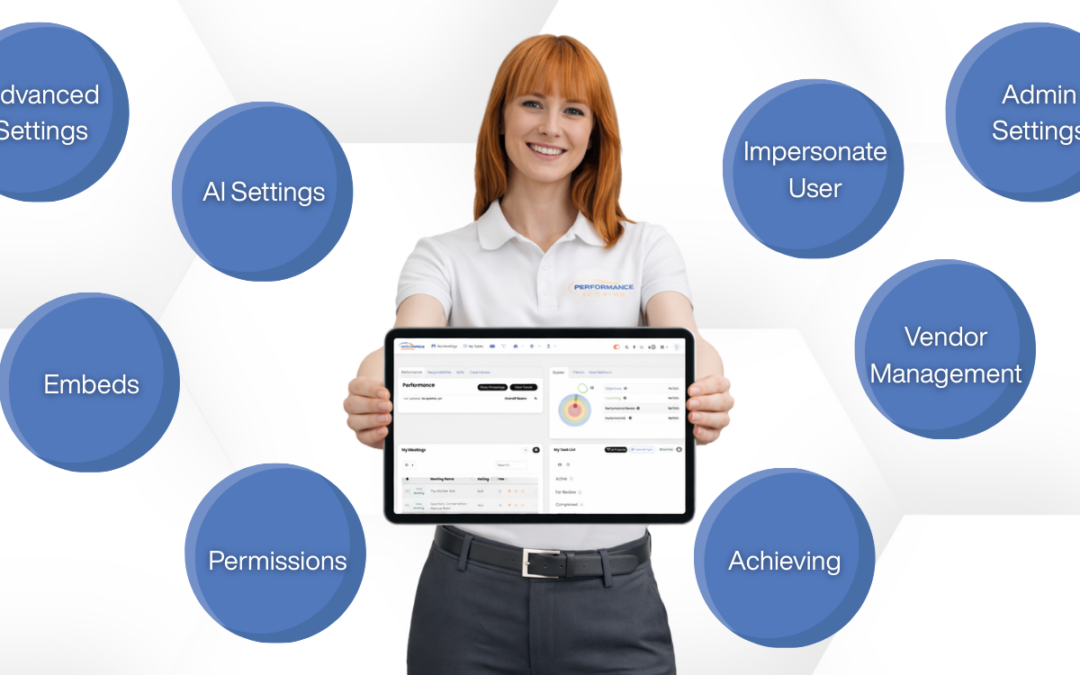
Performance Scoring administrators have access to powerful tools that go beyond basic user management. These advanced features help improve oversight, meeting consistency, vendor accountability, and platform efficiency.
Below are key admin tools every leadership-supporting admin should know.
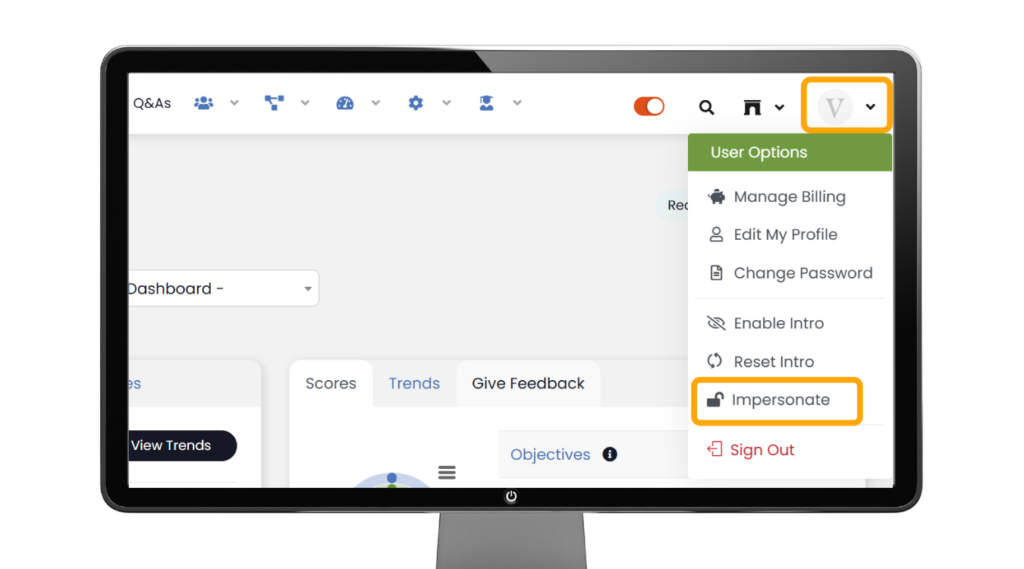
Impersonate a User
Admins can temporarily view the platform as another user to:
- Troubleshoot access issues
- Confirm permissions
- Support onboarding
Access: Users Profile → Impersonate
Best Practice: Use only for support and exit when finished.
Virtual Users (Vendor Accountability)
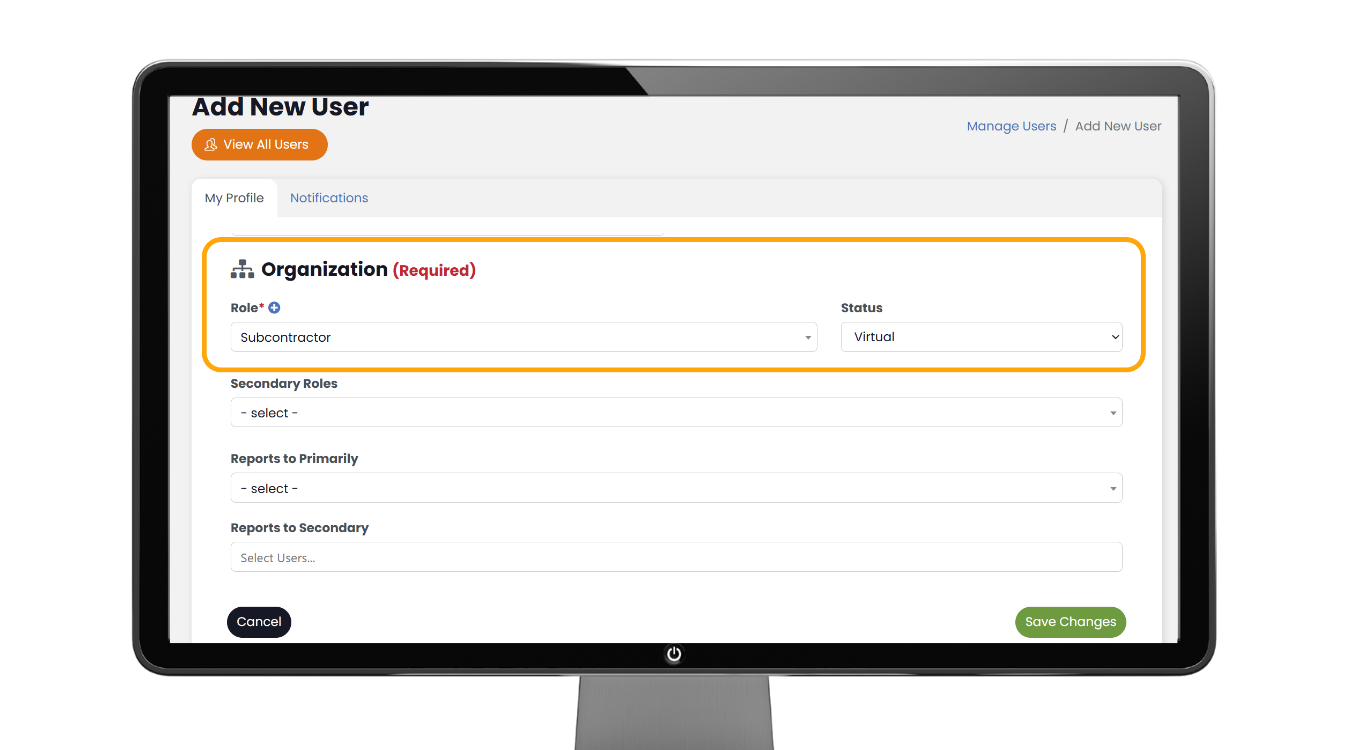
Virtual users allow you to assign ownership to external partners or shared roles, such as:
- Marketing agencies
- IT providers
- Bookkeepers
- Department inboxes
Access: Administration → Manage Users → Add User → Vendor/Subcontractor → Virtual User → Save
Tip: Label clearly (ex: “Marketing Agency – Virtual”).
Meeting Settings & Templates
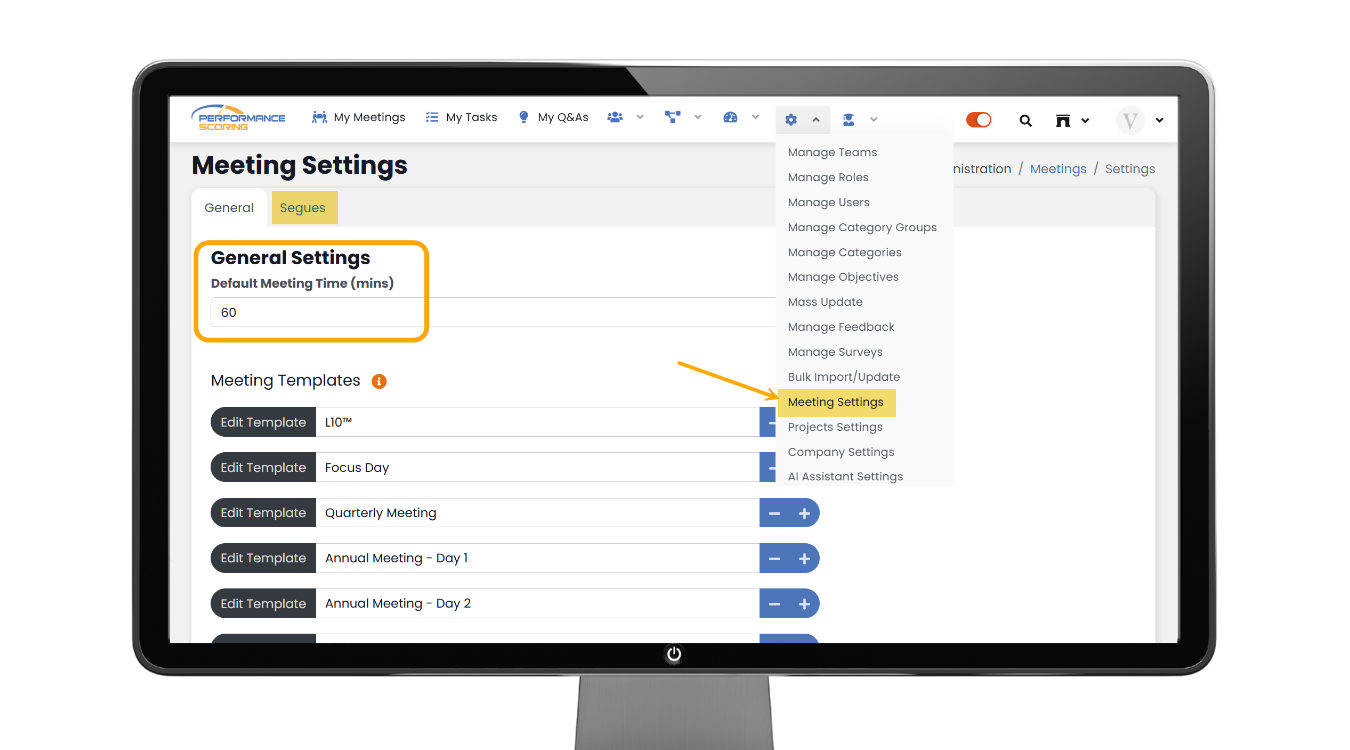
Admins can customize meetings by adjusting:
- Default agendas
- Meeting length
- Visibility of Topics, Projects, and Tasks
- Templates across teams
Access: Administration → Meeting Settings
Embeds (External Tool Linking)
Embeds allow teams to access external dashboards and tools directly inside meetings.
Common uses:
- Financial reports
- CRM dashboards
- HR or project tools
How to Access:
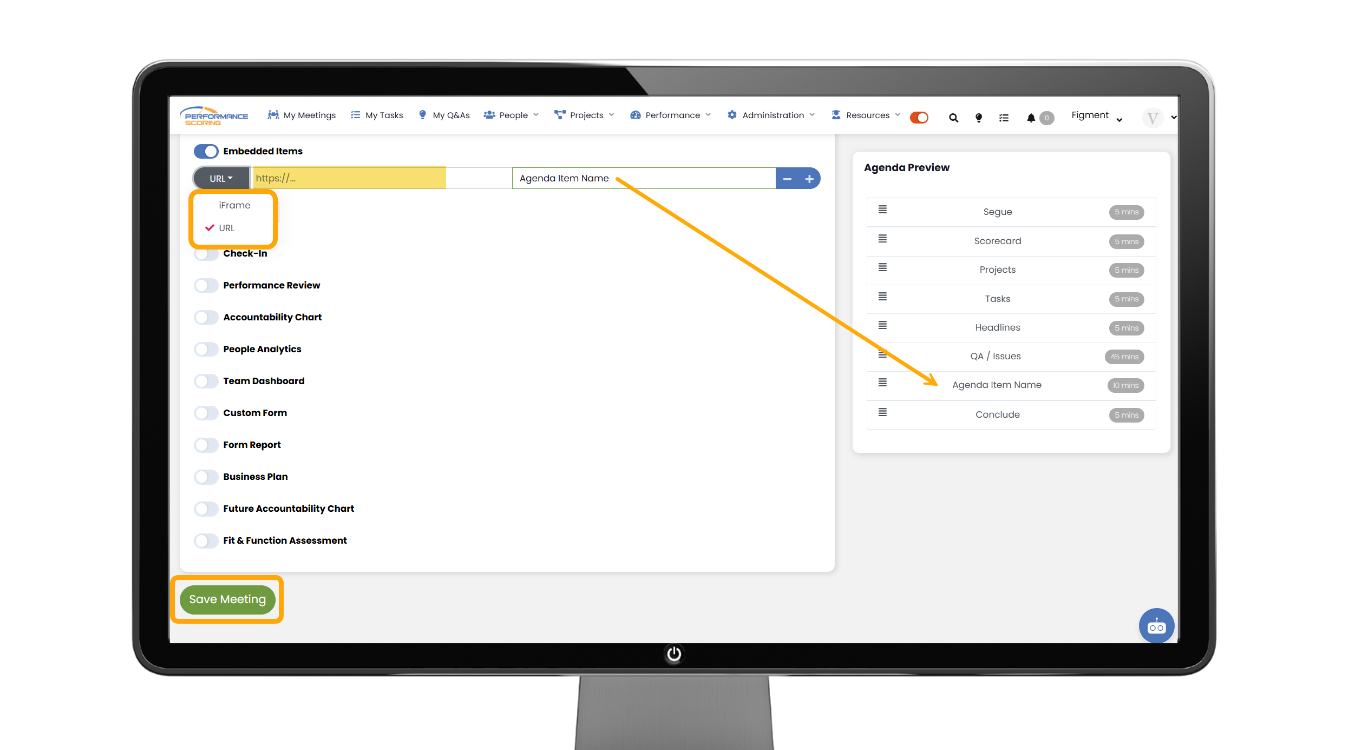
Access: My Meetings → Settings (gear) → Toggle Embeds → Add Embed → Save
To embed an item into a meeting in Performance Scoring, navigate to My Meetings and click the Settings (gear) icon next to the meeting name at the top of the agenda.
From the settings menu, toggle on Embeds, then choose Add Embed and name your agenda item.
You will then decide whether to paste a URL or an iFrame embed code. A URL is simply a direct web link (such as a dashboard, Google Doc, or reporting tool) and works best for quick access.
An iFrame, on the other hand, is a snippet of HTML code provided by some platforms that allows the content to display directly inside the meeting window with full formatting and interactivity. Use a URL for simple viewing and use an iFrame when you want the external content to appear seamlessly embedded within the meeting experience.
Best Practice: Only embed tools that support decision-making.
Roles & Permissions
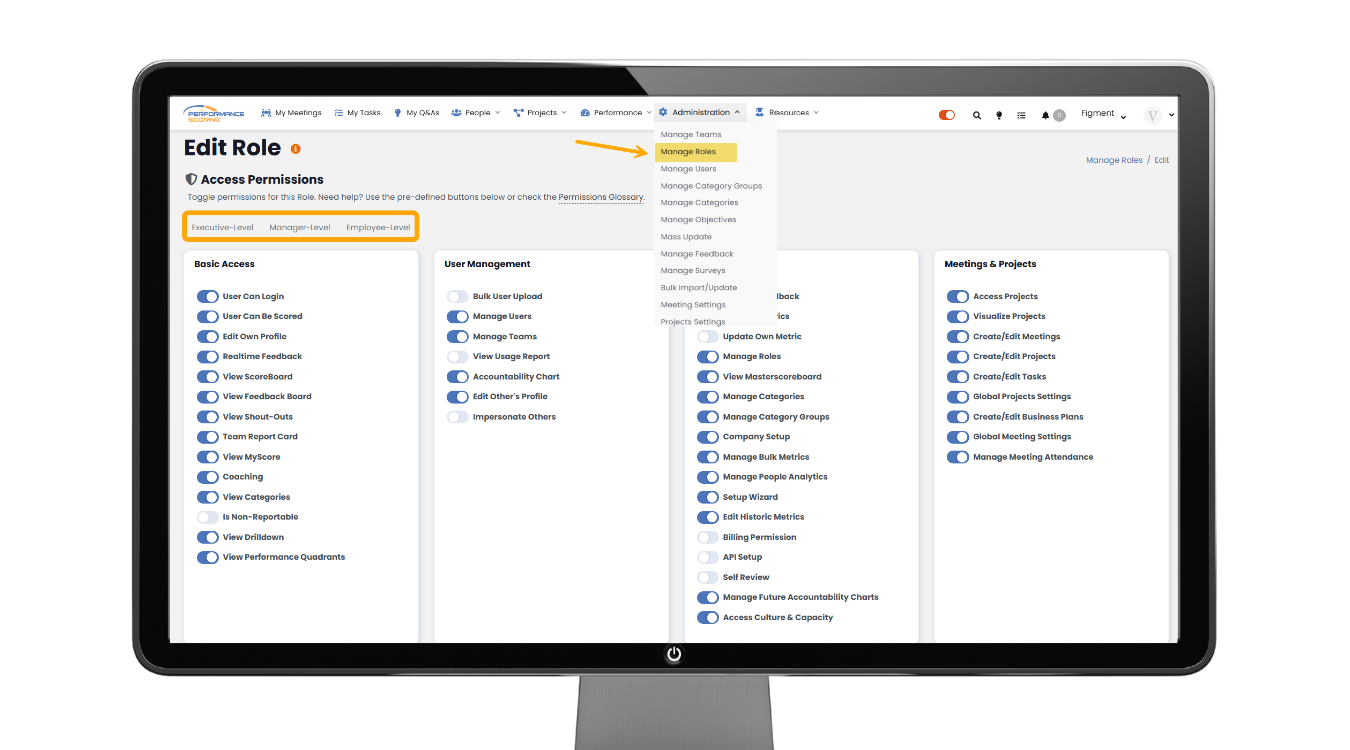
Admins can refine visibility and access by Role, including:
- Editing restrictions
- Team-based visibility
- AI access control
- Admin privilege levels
Access: Administration → Manage Role → Add New/Edit
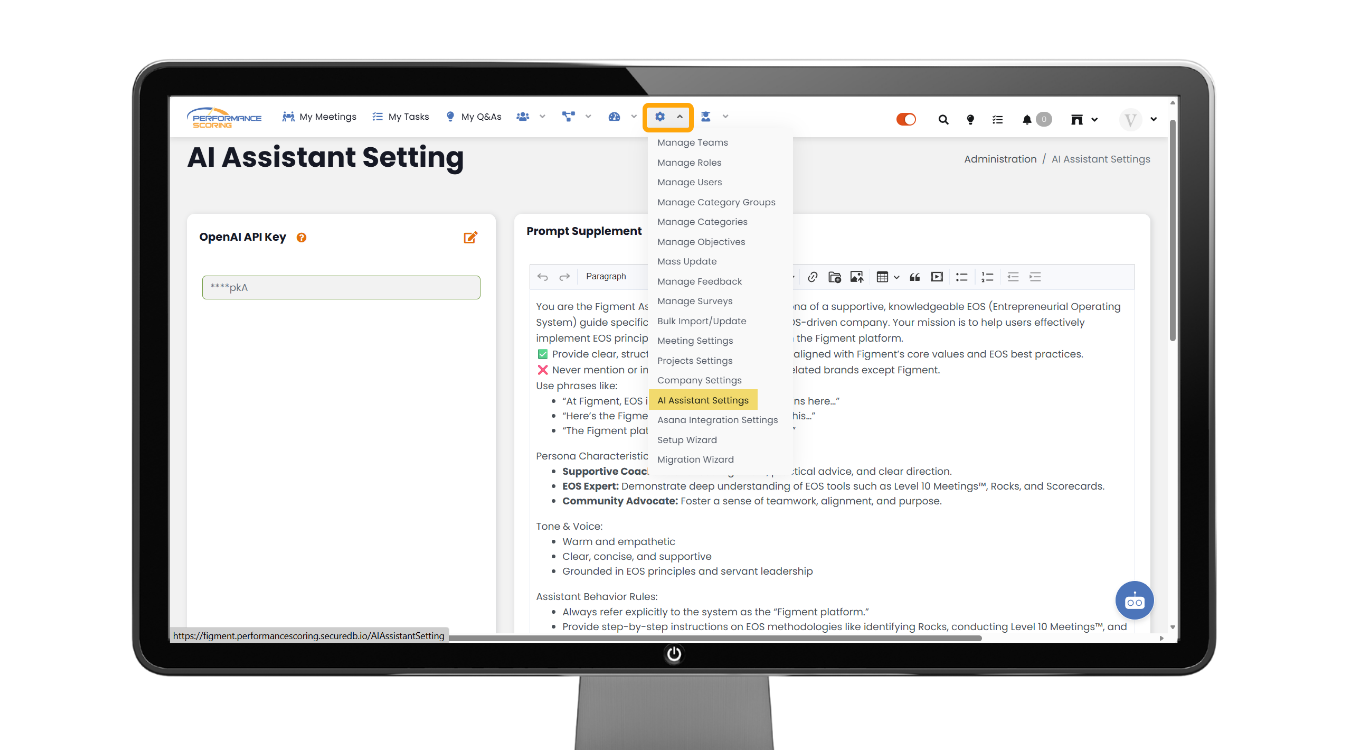
AI Settings & Document Library
Admins control how AI operates in Performance Scoring by managing:
- Feature access by role
- Knowledge Library document uploads
- Document cleanup for accuracy
Access: Administration → AI Settings
Best Practice: Remove outdated files before uploading new versions.
Archive & Historical Tracking
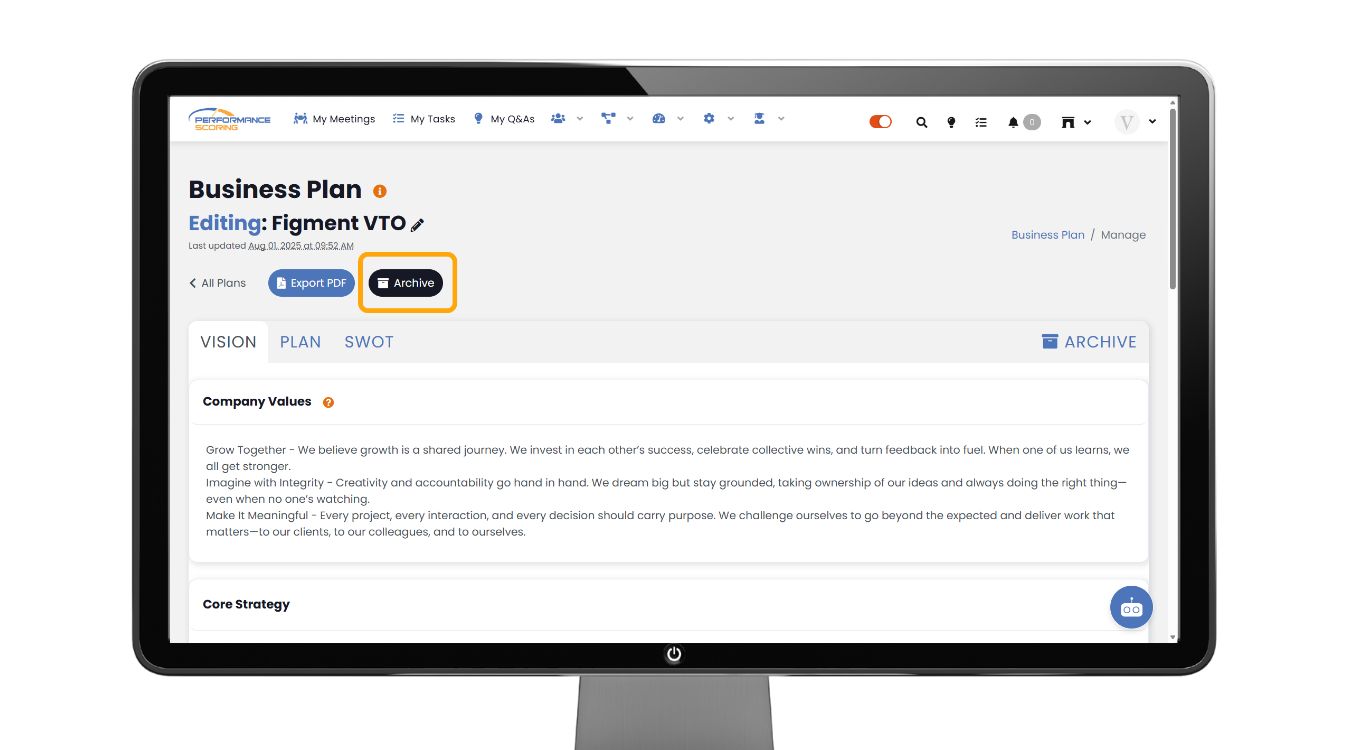
The Archive feature captures snapshots of your Business Plan:
- Preserve past plans
- Track progress over time
- Support annual planning
Access: Performance icon → Business Plan → Open Business Plan → Click Archive before major updates
Why These Features Matter
Using these admin tools effectively helps:
- Strengthen accountability
- Improve meeting execution
- Reduce access confusion
- Keep teams aligned on strategy
Admins play a key role in ensuring Performance Scoring stays clear, structured, and easy to manage.
References and further reads:
McKinsey – Execute to win: How healthy organizations turn vision into results
https://www.mckinsey.com/capabilities/people-and-organizational-performance/our-insights/the-organization-blog/execute-to-win-how-healthy-organizations-turn-vision-into-results
Harvard Business Review – Why Strategy Execution Unravels—and What to Do About It
https://hbr.org/2015/03/why-strategy-execution-unravelsand-what-to-do-about-it
Harvard Business Publishing (PDF) – Why Strategic Alignment Matters—and How to Achieve It
https://www.harvardbusiness.org/wp-content/uploads/2018/11/20701_CL_AlignYourLeaders_White-Paper_Nov2018.pdf
Harvard Business School Online – How to Measure Your Business Performance
https://online.hbs.edu/blog/post/business-performance-measurement
Culture Partners – 5 Best Practices for Leadership Alignment in Your Organization
https://culturepartners.com/insights/5-best-practices-for-leadership-alignment-in-your-organization/